Creators
Reviewing Practice Progress
Use the Practices dashboard to review scores, attempts, durations, statuses, filters, exports, repeated runs, and cleanup actions.
Practices Dashboard
The Practices dashboard gives you a project-level view of saved practice runs. It is useful for checking whether a learner is improving over repeated attempts and for cleaning up old practice data.
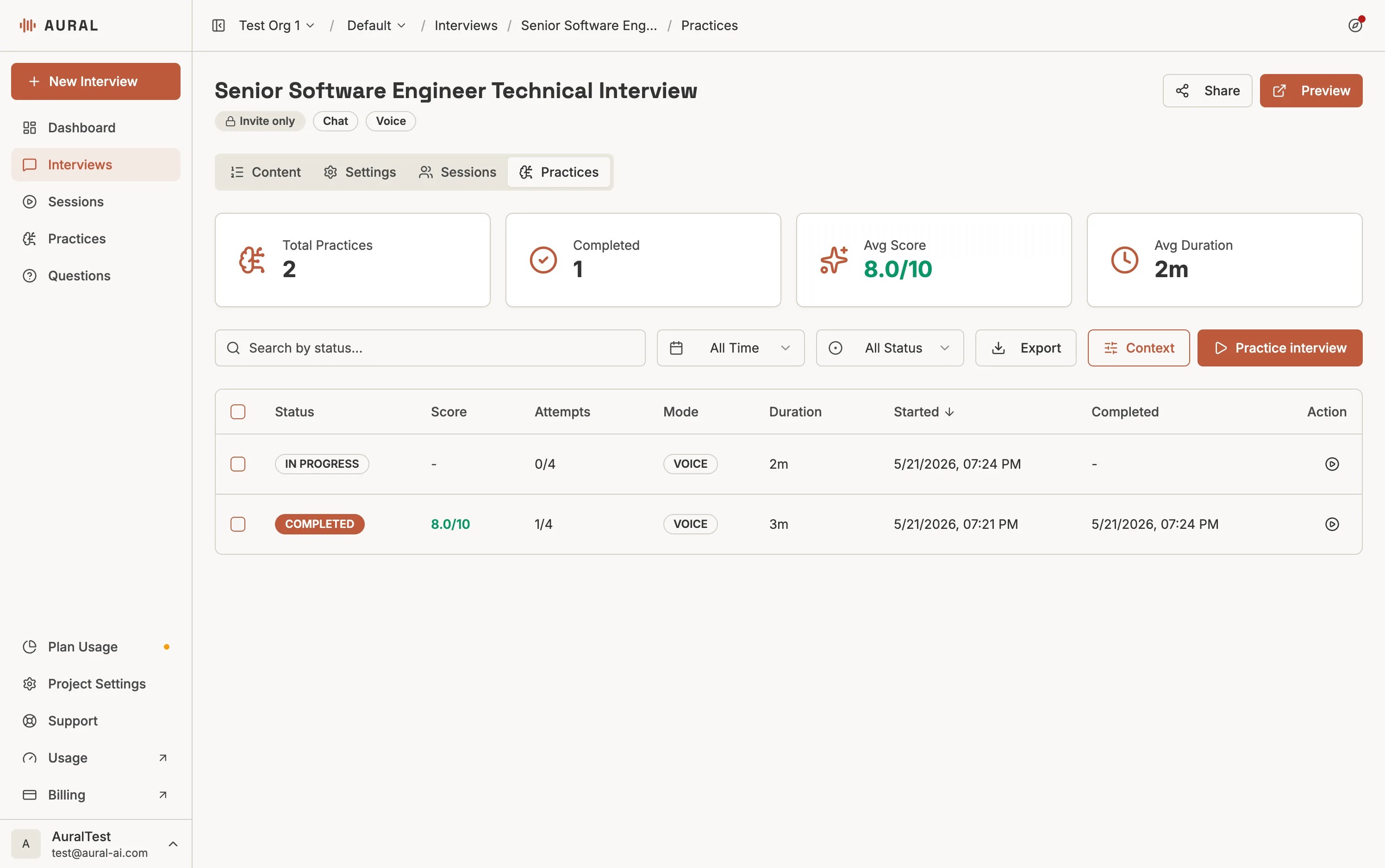
Metrics
- Total practices - how many practice sessions match the current scope.
- Completed - sessions that were finished and saved.
- Average score - mean score across scored practice sessions.
- Average duration - typical time spent practicing.
Table Columns
Each row shows the interview title, session status, average score, submitted attempts, mode, duration, start time, completion time, and a quick action to practice the interview again.
Filtering and Exporting
Search
Find sessions by interview title or status.
Time range
Filter by recent activity such as the past day, week, month, or quarter.
Status
Narrow the list to completed, in-progress, or abandoned runs.
XLSX export
Download filtered practice rows with scores, attempts, duration, and timestamps.
Deleting Practice Sessions
Select one or more rows, then click Delete. This permanently removes the selected practice sessions and their saved attempts. Real interview sessions and candidate results are not affected.
Review by interview first
For the cleanest coaching loop, start on an individual interview's Practices tab. Use the global Practices page when you want to compare activity across the whole project.