
Running a Practice Session
Start a focused voice practice session, answer questions, receive AI coaching, retry weak answers, and use suggested answers responsibly.
Start Practice
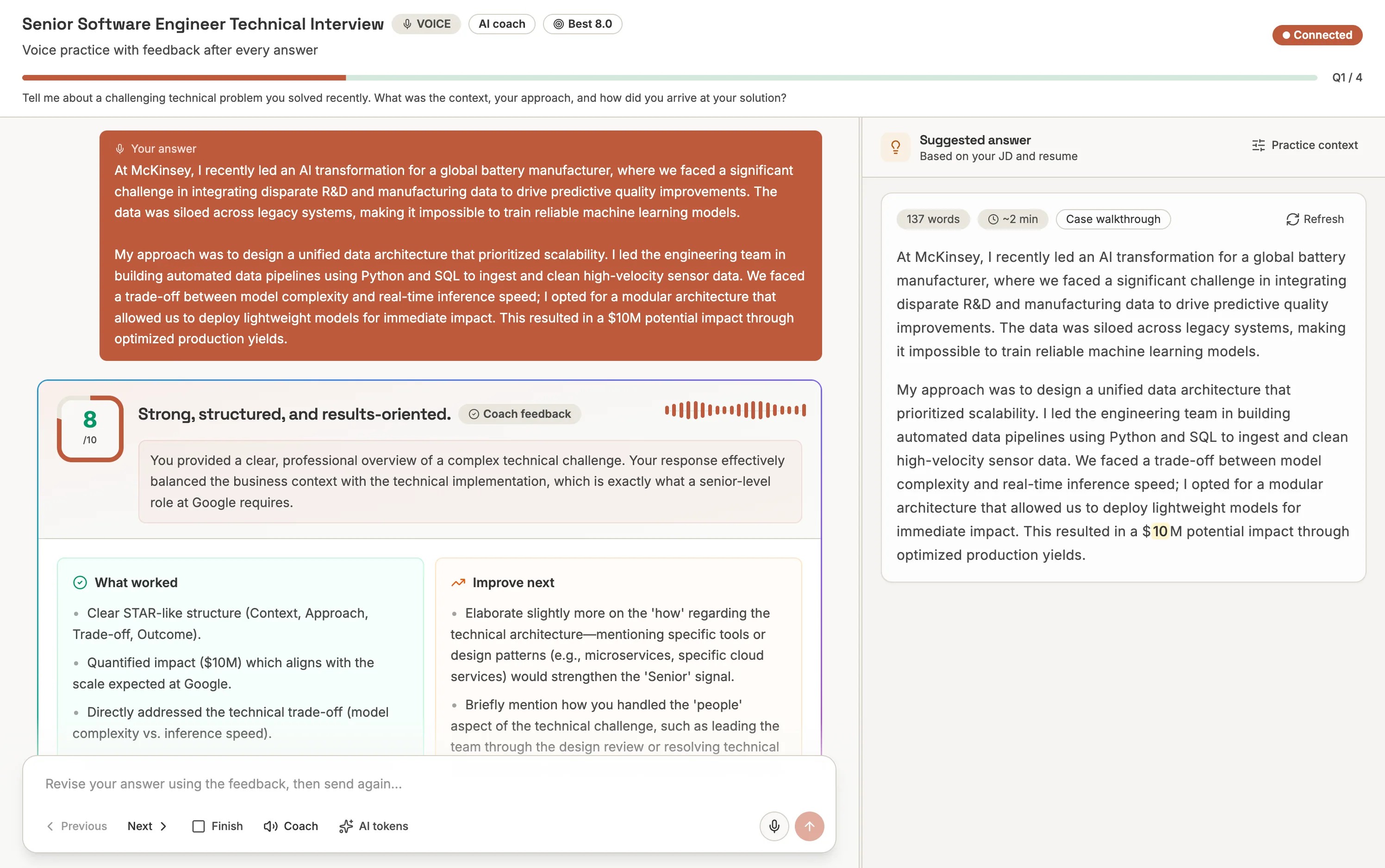
Open an interview's Practices tab and click Practice interview. Lingwu opens focused practice mode at /practice/[interviewId] and starts a new practice session for the signed-in user.
Listen to the question
The AI coach reads the current question in voice mode and keeps the active question pinned at the top of the session.
Answer by voice
Record your response. The transcript appears in the composer, so you can review it before submitting.
Submit for feedback
Lingwu grades the answer, streams coaching feedback, saves the attempt, and updates your best score for the current question.
Retry or continue
Use the feedback to revise the answer, practice the same question again, or move to the next question with the composer navigation.
Understanding Feedback
Practice feedback is designed to be actionable rather than generic.
- Score - a 0-10 quality signal for the attempt.
- Verdict and summary - the main coaching readout.
- Strengths - what already works and should be kept.
- Improvements and missing signals - what to add on the next try.
- Voice delivery - pace, clarity, confidence, and delivery tips when audio is available.
Using Suggested Answers
The suggested answer panel can generate a structured answer based on the question, question type, job description, and resume context. Use it as a study aid, not a script. The goal is to learn the structure and evidence pattern, then answer in your own words.
Self-hosting note
Practice grading and suggested answers use your configured LLM provider. Voice practice also uses your configured relay and TTS provider. The OSS build stores practice sessions separately from real candidate sessions and does not include commercial usage controls.